{"enable_page_caching":false,"page_cache_length_value":24,"page_cache_length_unit":"hours","page_cache_length":86400,"cache_exception_urls":[""],"cache_exception_cookies":[""],"cache_exception_browser_agents":[""],"enable_sitemap_preload":false,"enable_schedule_preload":"0","preload_schedule_type":"wpo_use_cache_lifespan","enable_mobile_caching":"0","enable_user_caching":"0","site_url":"https:\/\/polaris.sink140hosting.com\/","enable_cache_per_country":false,"wpo_cache_cookies":[],"wpo_cache_query_variables":[]} Google Maps - Polaris : Wordpress Framework
Polaris Framework

hello@polaris-framework.com
00000 000 000

Google Maps

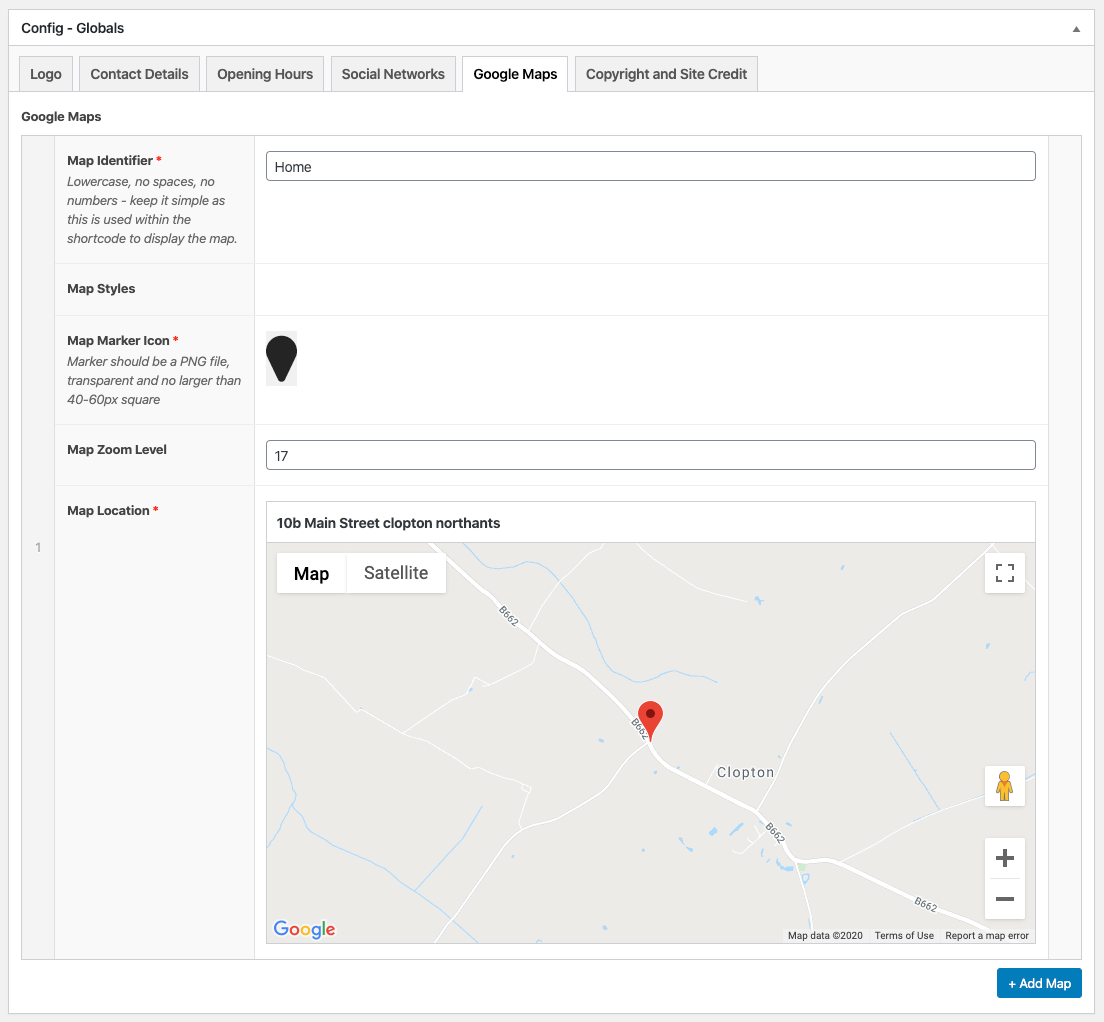
Adding a Google map to a single page couldn’t be easier (once you’ve jumped through the API key hoops) – to make life easier – and allow for simple method of insertion we can setup (or add) multiple maps for use anywhere on a website.

You can even choose your own special drop pin to point to your location!

Combined with the skins available via SnazzyMaps (and other reputable services) excellent maps are only a moment away.

The image shows the setup screen, followed below that with a live ‘real’ Google Map.
Live/Real Map

Using the following shortcode:

[ map_render id=”home” ]

Another Map